New to Rust? Grab our free Rust for Beginners eBook Get it free →
Synchronize MySQL and IndexedDB in an Offline-First App


When you build an offline-first app, the question is what happens to a change while there is no network. The answer is a queue that writes to IndexedDB first, pushes to MySQL, and clears the local copy only after the server confirms.
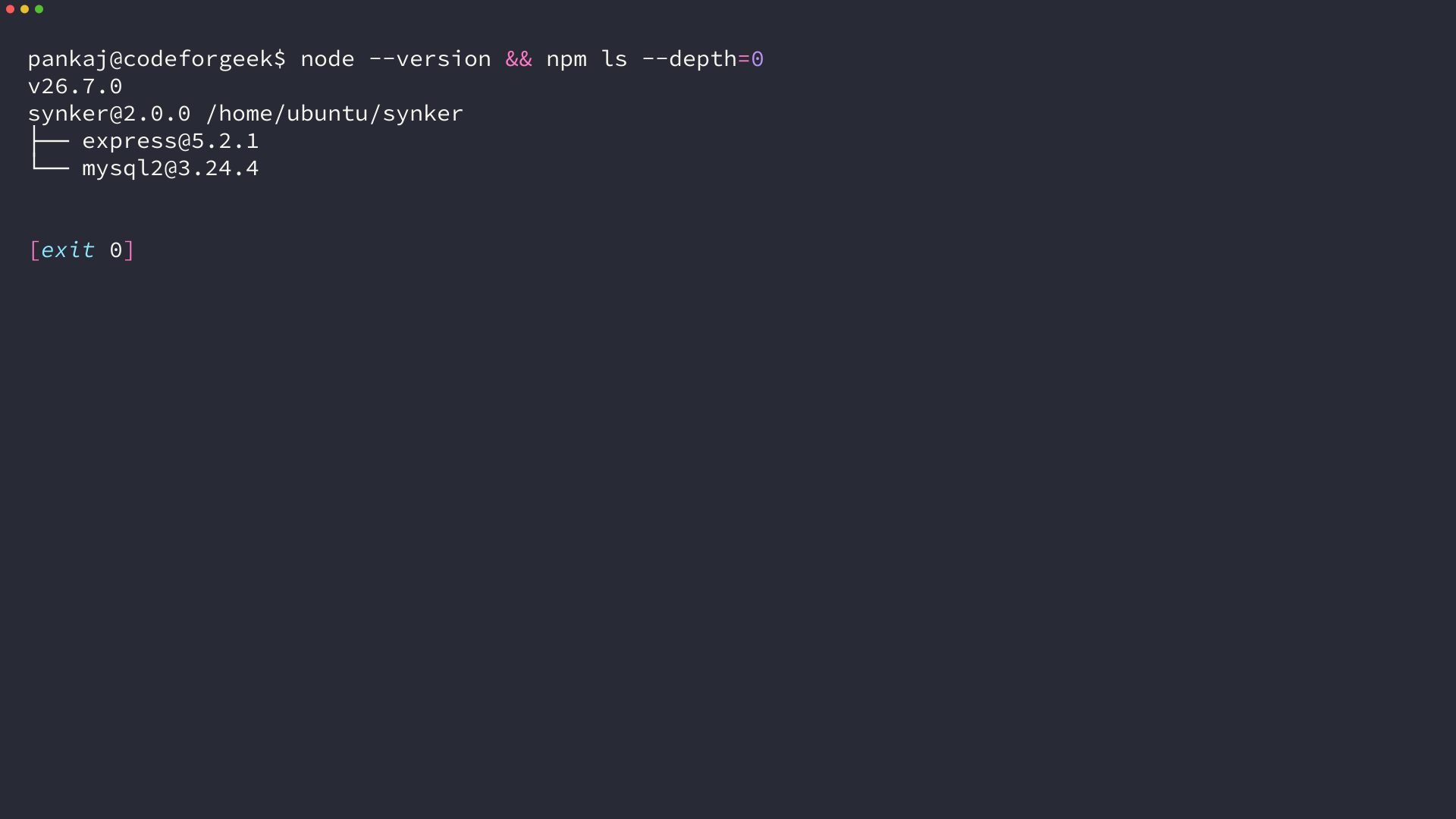
The library versions behind that run are Express 5.2.1 and mysql2 3.24.4, both resolved by npm without a version argument.
Synchronization between MySQL and IndexedDB comes down to one queue: a local write, a pending marker stored beside it, and a push that is deleted only after the server confirms the row.
Sync MySQL with IndexedDB without losing an offline edit
Two databases cannot be kept identical at every instant, because one lives in a browser process and the other lives behind a network call. What you can control is whether a write is ever lost, and whether repeating a write changes the result.
That second property is the one most demos skip. A queue that pushes the same note twice produces two rows unless the database can recognise the repeat, and a network that drops your first request is exactly the case that triggers it.
So the shape of the solution is a local record you can always write, a marker that survives a closed tab, and a server write that is safe to send again. Everything below builds one of those three.
What the browser can and cannot do here
IndexedDB stores structured data on the device, including values too large for localStorage, and it survives a page reload. It is not durable storage in the sense a disk is durable. Browsers evict site data under storage pressure, so the local database is a place to hold unconfirmed work, not an archive.
MySQL stays the record. Every design decision below follows from that split.
| Concern | IndexedDB | MySQL |
|---|---|---|
| Reachable when offline | Yes | No |
| Survives a site data wipe | No, the browser can evict it | Yes |
| Who owns the record | Holds unconfirmed changes | Holds the confirmed one |
| How a repeat is detected | Key path on the store | Primary key on the table |
Create the MySQL table and connect from Node.js
Start with the two pieces the queue writes into: a database, a user that can reach it over TCP, and one table keyed by the identifier the browser generates. I bound that user to the loopback address, so the grant never applies to a remote host.
CREATE DATABASE synker CHARACTER SET utf8mb4;
CREATE USER 'synker'@'127.0.0.1' IDENTIFIED BY 'your-password';
GRANT ALL PRIVILEGES ON synker.* TO 'synker'@'127.0.0.1';

CREATE TABLE notes (
  client_id VARCHAR(64) NOT NULL PRIMARY KEY,
  body TEXT NOT NULL,
  updated_at DATETIME(3) NOT NULL
);
Notice what the primary key is not. It is not an auto-increment integer, because the browser has to name the row before the server has seen it.
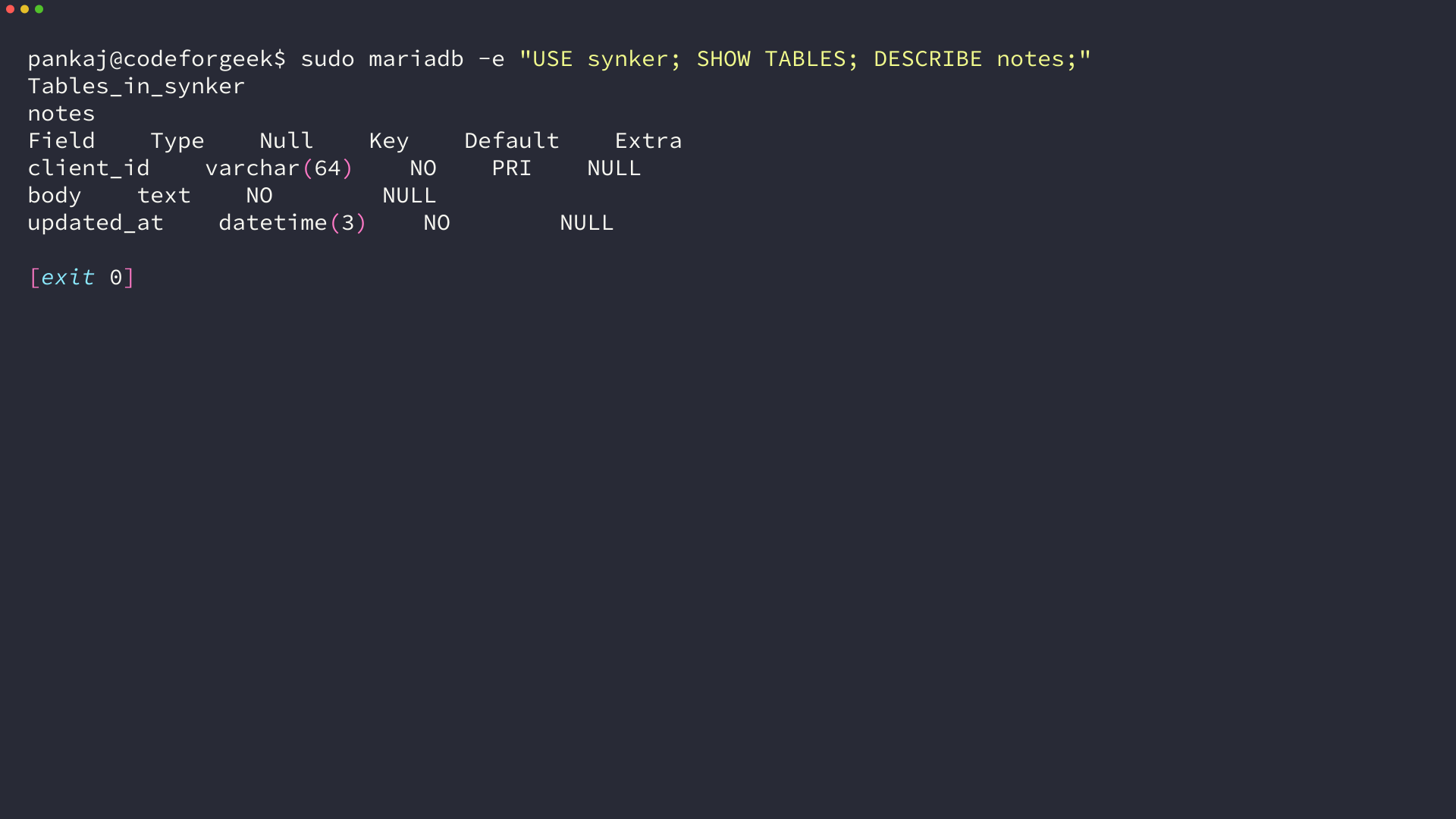
A client-owned primary key is what makes the retry in a later section safe. The table below is the same one the demo uses, read back from the running server.
- Start the database server and confirm the client can reach it on the loopback address.
- Create the database, the user, and the grant with the SQL above.
- Create the notes table and check its three columns before writing any Node code.
- Put the connection values in a file named .env and start the server with the env-file flag.
Install the current client, not the legacy mysql package
The npm package named mysql is the one this article used in 2014, and it is now marked deprecated in favour of mysql2. Its replacement ships a promise API and prepared statements, which is why the code below has no callbacks.
npm install express mysql2
Run the install with no version arguments so npm resolves the current release of each package. The versions that came back here, alongside the Node release the samples ran on, are in the next image.
Read and write with placeholders
The connection pool is created once and reused, so each request borrows a connection for a single statement and hands it back.
import express from "express";
import mysql from "mysql2/promise";

const pool = mysql.createPool({
  host: process.env.DB_HOST ?? "127.0.0.1",
  user: process.env.DB_USER ?? "synker",
  password: process.env.DB_PASSWORD ?? "",
  database: process.env.DB_NAME ?? "synker",
  waitForConnections: true,
  connectionLimit: 5,
});
The values come from the environment, so the file holds no password. Node reads them from a file with the env-file flag, which keeps the credentials out of the script and out of your shell history.
node --env-file=.env server.js
Reads go through a placeholder as well, even when the statement takes no arguments. Passing the query string and its parameters to execute is what tells mysql2 to prepare the statement instead of interpolating it.
I left the health route in the build, but nothing depends on it any more. The old app called it on a timer and used the answer to choose between MySQL and IndexedDB, which is the decision that loses a write when the connection drops mid-request. You can still curl it when you want a quick answer about the process.
const app = express();
app.use(express.json({ limit: "64kb" }));
app.use(express.static("public"));

app.get("/api/health", (req, res) => {
  res.json({ ok: true });
});

app.get("/api/notes", async (req, res, next) => {
  try {
    const [rows] = await pool.execute(
      "SELECT client_id, body, updated_at FROM notes ORDER BY updated_at DESC",
    );
    res.json(rows);
  } catch (err) {
    next(err);
  }
});
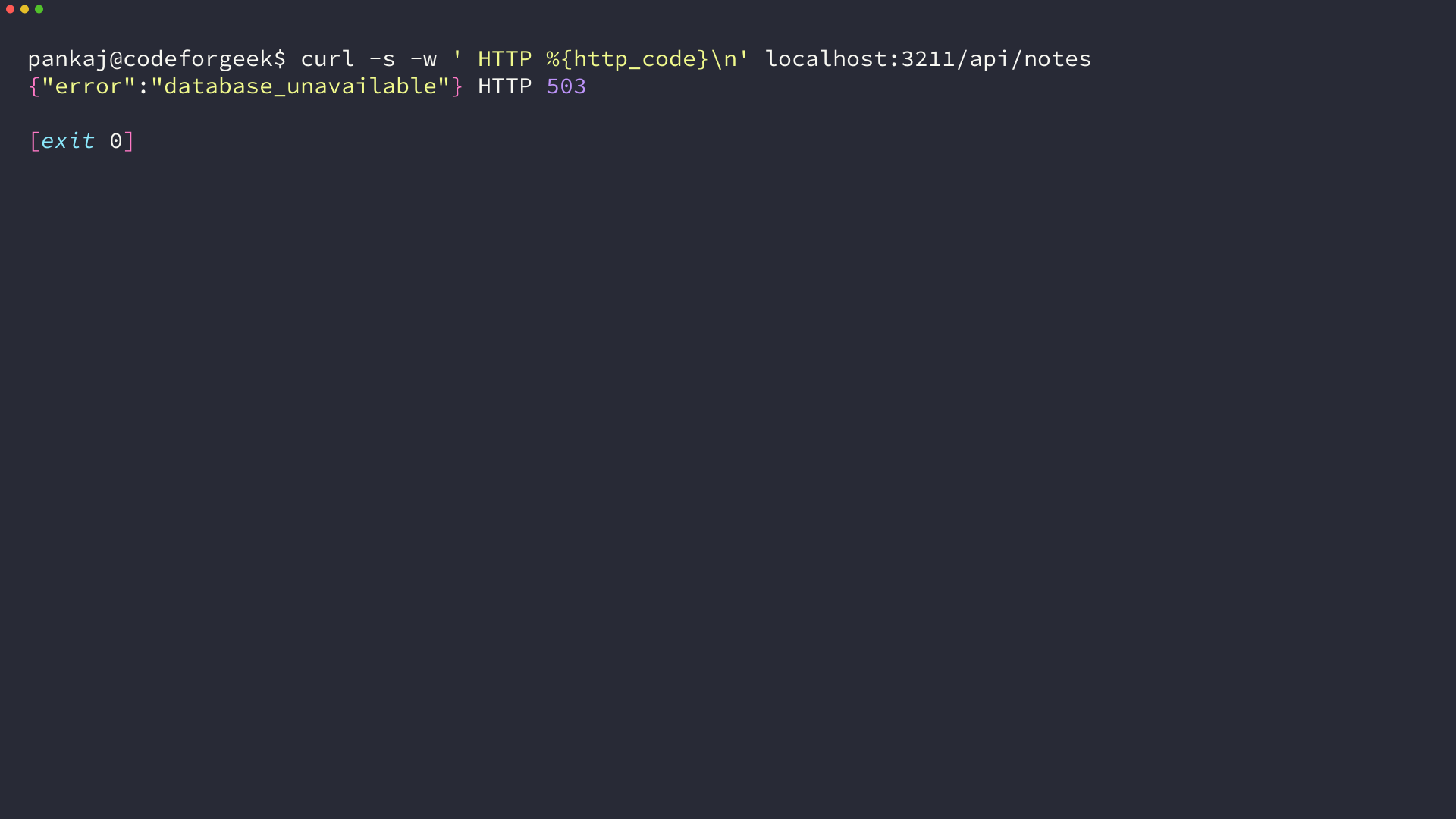
Keeping the failure in the request chain matters, because a dead database should answer with a status the queue can recognise rather than a dead socket.
app.use((err, req, res, next) => {
  console.error(`[db] ${err.code ?? err.message}`);
  res.status(503).json({ error: "database_unavailable" });
});
I pointed the app at a database that does not exist, and the running server answered with this response.
Write to IndexedDB before the network
The save handler never contacts the server. It writes the note into IndexedDB, marks the note as pending, and returns, so the tab stays responsive while the connection is gone.
Two object stores, one transaction
A version number on the open call decides when the structure is created. The upgrade handler runs once, and it is the only place where a store can be added.
function openDb() {
  return new Promise((resolve, reject) => {
    const request = indexedDB.open("synker", 1);
    request.onupgradeneeded = () => {
      const db = request.result;
      if (!db.objectStoreNames.contains("notes")) {
        db.createObjectStore("notes", { keyPath: "clientId" });
      }
      if (!db.objectStoreNames.contains("outbox")) {
        db.createObjectStore("outbox", { keyPath: "clientId" });
      }
    };
    request.onsuccess = () => {
      request.result.onversionchange = () => request.result.close();
      resolve(request.result);
    };
    request.onerror = () => reject(request.error);
  });
}
Two details in that block are easy to skip. A store keyed on the client id replaces the separate index the old demo built, so a pending marker can never be queued twice. The versionchange handler closes the connection when another tab requests an upgrade, because an open database blocks that request.
The outbox entry is the queue
Each request resolves when its transaction completes, not when the request itself succeeds. That distinction is what makes the local write trustworthy.
function tx(db, store, mode, run) {
  return new Promise((resolve, reject) => {
    const transaction = db.transaction(store, mode);
    const request = run(transaction.objectStore(store));
    transaction.oncomplete = () => resolve(request.result);
    transaction.onabort = () => reject(transaction.error);
  });
}

async function saveNote(body) {
  const db = await openDb();
  const note = { clientId: "note-1", body, updatedAt: Date.now() };
  await tx(db, "notes", "readwrite", (store) => store.put(note));
  await tx(db, "outbox", "readwrite", (store) =>
    store.put({ clientId: note.clientId }),
  );
  db.close();
  return note;
}
The two writes sit in separate transactions here, which is the honest trade. One transaction spanning both stores would be atomic, and the code above accepts a narrow window where the note is stored but the marker is not, because the note is the thing worth keeping.
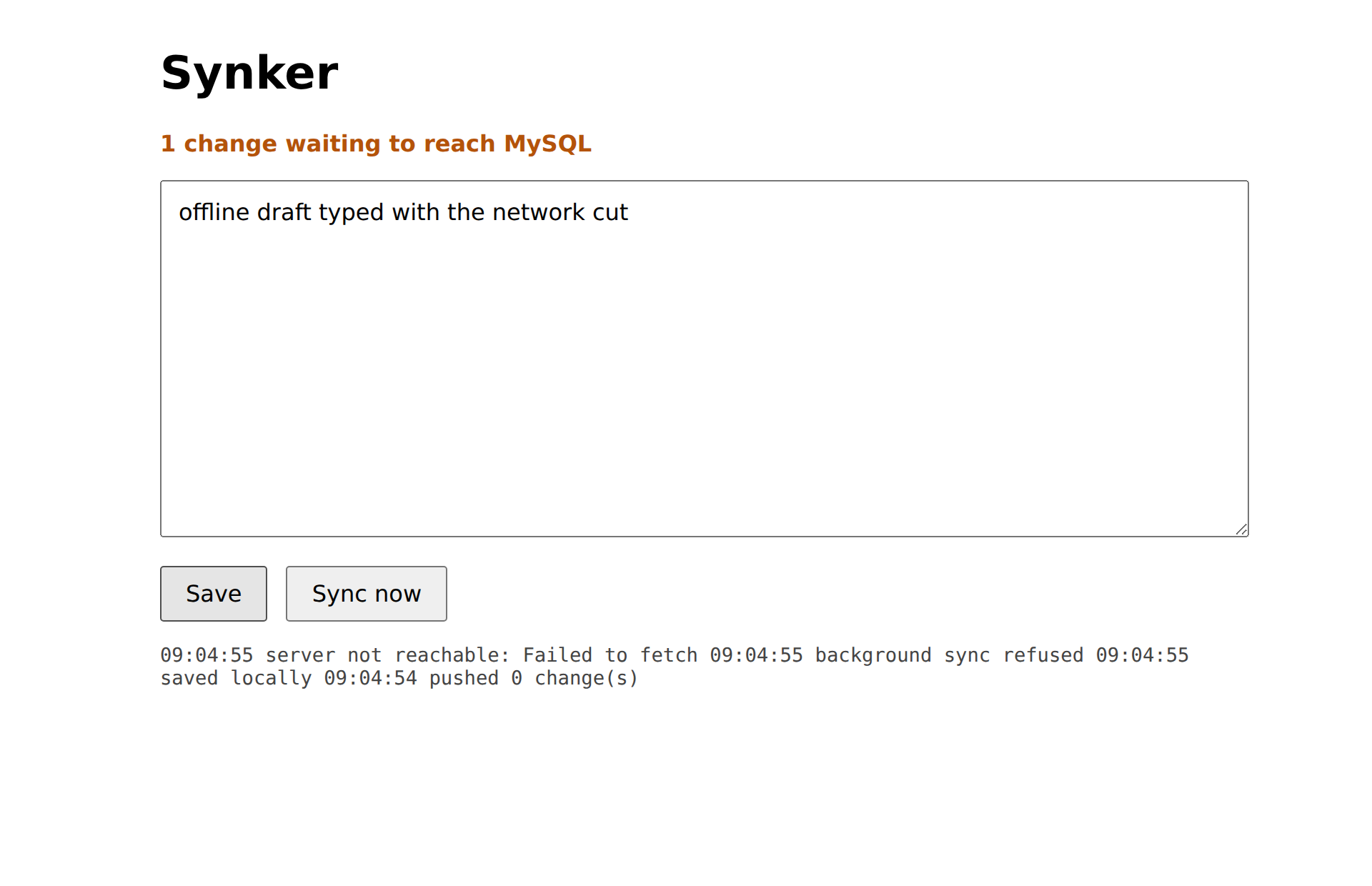
I ran that save with the connection cut, and the outbox count went from zero to one while the note stayed in the textarea. That is the state the next image shows, taken from the running demo.
The page reads its text back from IndexedDB on load rather than waiting for the server, because the network may still be gone when the tab opens, and the server read stays useful for repair rather than rendering.
document.getElementById("save").addEventListener("click", async () => {
  await window.Synker.saveNote(bodyEl.value);
  await refreshStatus("saved locally");
  await requestRetry();
});

(async () => {
  const note = await window.Synker.readNote("note-1");
  bodyEl.value = note ? note.body : "";
  if ("serviceWorker" in navigator) {
    await navigator.serviceWorker.register("/sw.js");
  }
  await drainNow();
})();
Push the queue and clear it only on acknowledgement
Draining the queue means reading every pending marker, sending the note it points at, and deleting the marker after the server answers. The delete is the acknowledgement, so a marker that survives means the row did not land.
async function drain() {
  const db = await openDb();
  const queued = await tx(db, "outbox", "readonly", (store) => store.getAll());
  for (const entry of queued) {
    const note = await tx(db, "notes", "readonly", (store) =>
      store.get(entry.clientId),
    );
    if (!note) {
      await tx(db, "outbox", "readwrite", (store) => store.delete(entry.clientId));
      continue;
    }
    const response = await fetch(`/api/notes/${encodeURIComponent(note.clientId)}`, {
      method: "PUT",
      headers: { "Content-Type": "application/json" },
      body: JSON.stringify({ body: note.body, updatedAt: note.updatedAt }),
    });
    if (!response.ok) {
      db.close();
      throw new Error(`push failed with ${response.status}`);
    }
    await tx(db, "outbox", "readwrite", (store) => store.delete(entry.clientId));
  }
  db.close();
}
A failed push throws before the delete runs, so the marker stays and the next drain tries again, which means nothing is dropped on a 503, a timeout, or a dropped connection.
Make the retry idempotent with a client-owned key
Because the browser already knows the row it is writing, the server can accept a repeated push without creating a second row. One statement covers both the first write and every retry after it.
app.put("/api/notes/:clientId", async (req, res, next) => {
  const { clientId } = req.params;
  const { body, updatedAt } = req.body ?? {};
  if (typeof body !== "string" || typeof updatedAt !== "number") {
    res.status(400).json({ error: "body and updatedAt are required" });
    return;
  }
  try {
    await pool.execute(
      `INSERT INTO notes (client_id, body, updated_at) VALUES (?, ?, ?)
       ON DUPLICATE KEY UPDATE body = VALUES(body), updated_at = VALUES(updated_at)`,
      [clientId, body, new Date(updatedAt)],
    );
    res.json({ ok: true, clientId });
  } catch (err) {
    next(err);
  }
});
The insert half runs on the first push. On a retry the primary key collides, so the update half runs instead and the table still holds one row.
The argument check is not decoration. The 2014 endpoint built its SQL by concatenating the request value straight into the statement, and the version above passes everything through placeholders instead.
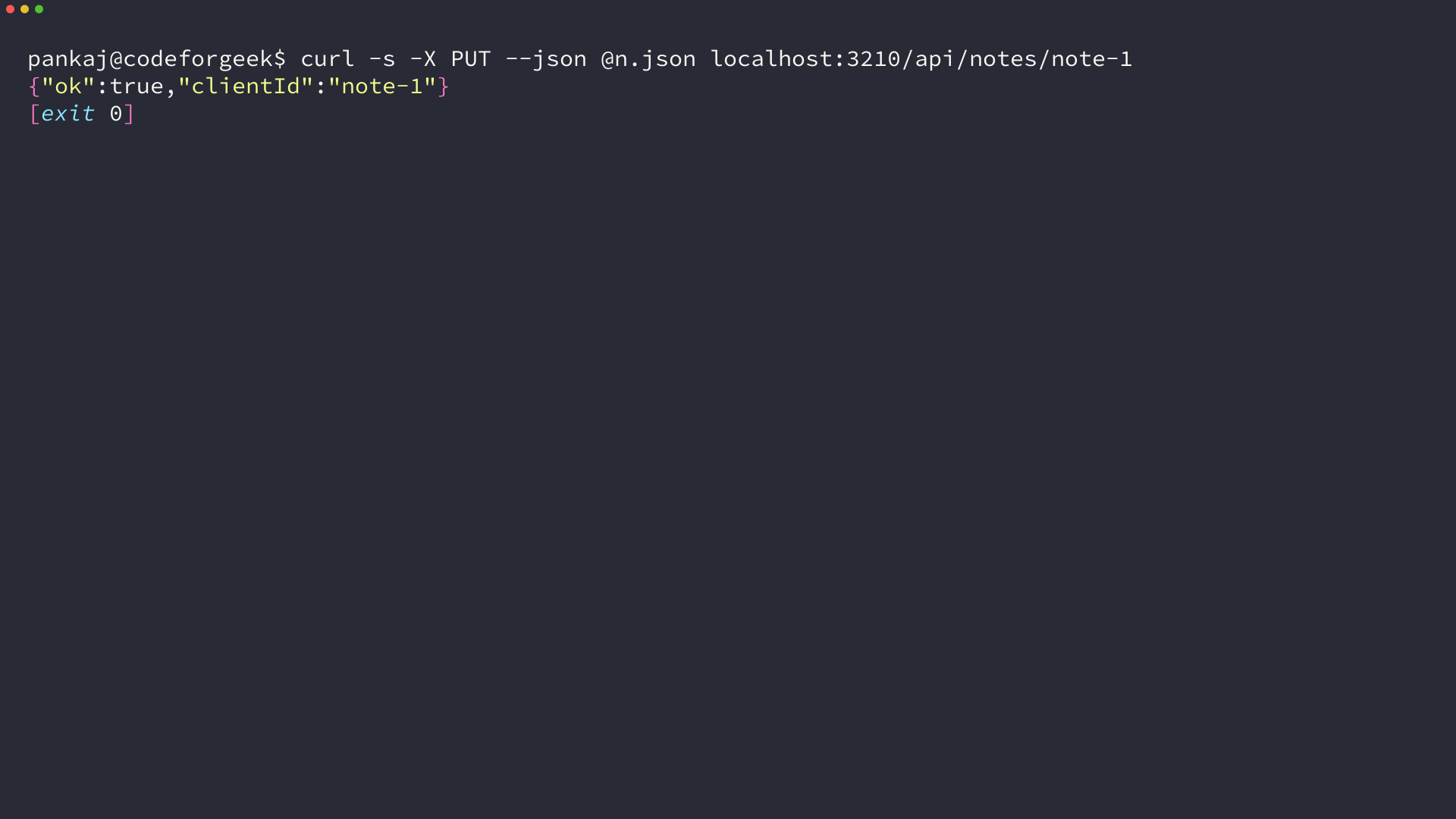
I sent the same client id twice from the terminal and then read the table back, which is what the next terminal shows. My body text changed between the two pushes and the row count did not.
Let the service worker retry when the browser reconnects
A page that is closed cannot run its own retry loop, which is the reason the retry lives in a service worker. The worker imports the same queue code the page uses, so there is one implementation of the drain and no second copy to keep in step.
Sharing that file sets one constraint on it, because the worker has no document and no window, so the queue code touches indexedDB and fetch only and attaches itself to the worker global scope with importScripts. I checked that copy separately by sending the worker the same drain call, and it pushed the queued note on its own.
importScripts("/synker.js");

self.addEventListener("sync", (event) => {
  if (event.tag === self.Synker.OUTBOX_TAG) {
    event.waitUntil(self.Synker.drain());
  }
});
The registration is best effort, and it has to be treated that way. Background synchronization does not work in every browser, and the call can be refused even where the object exists.
async function requestRetry() {
  if ("serviceWorker" in navigator) {
    const registration = await navigator.serviceWorker.ready;
    if (registration.sync) {
      try {
        await registration.sync.register(window.Synker.OUTBOX_TAG);
        return;
      } catch {
        log("background sync refused");
      }
    }
  }
  await drain();
}
I expected the registration to succeed on a Chromium build and it did not. The call rejected with an UnknownError that said Background Sync is disabled, which is a browser configuration rather than a bug in the code, and the fallback drain in the same function is what pushed the note.
That is the argument for the fallback, because a queue that only drains through the background path stops draining the moment the path is unavailable.
Run it end to end and check the row in MySQL
Start the server, open the page, cut the connection, type, and save. Then restore the connection and let the queue drain.
node --env-file=.env server.js
Restoring the connection and pressing Sync now moved the pending marker to zero. The page keeps the note in the textarea, because the local copy is what the editor reads.
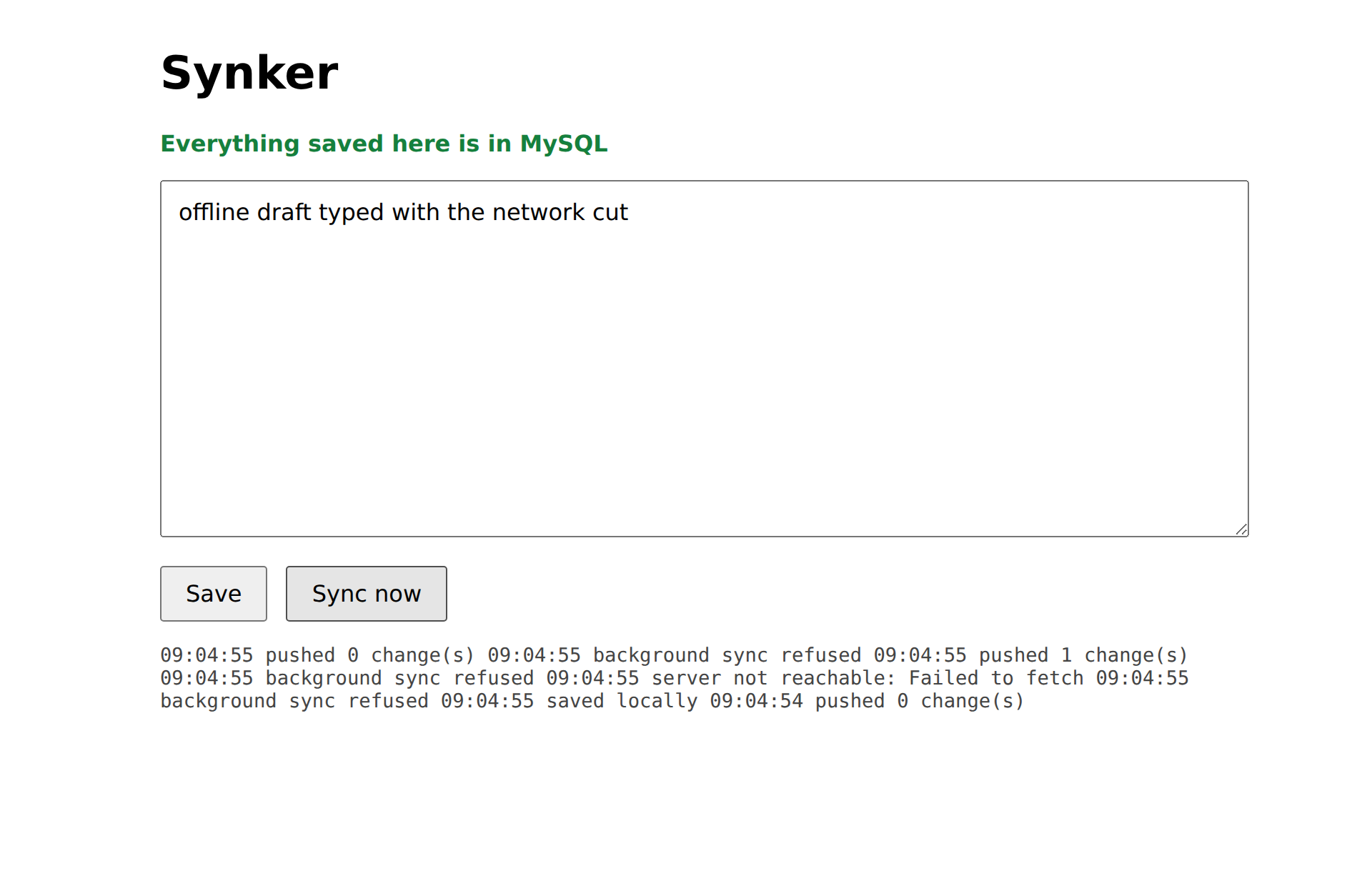
The queue emptied because the server answered, so the row has to be there. Reading the table is the check that does not depend on the client being honest.
curl -s localhost:3210/api/notes
Reading MySQL directly is stronger still, because it skips the API that just told you it succeeded.
sudo mariadb -e "SELECT client_id, body, updated_at FROM synker.notes;"
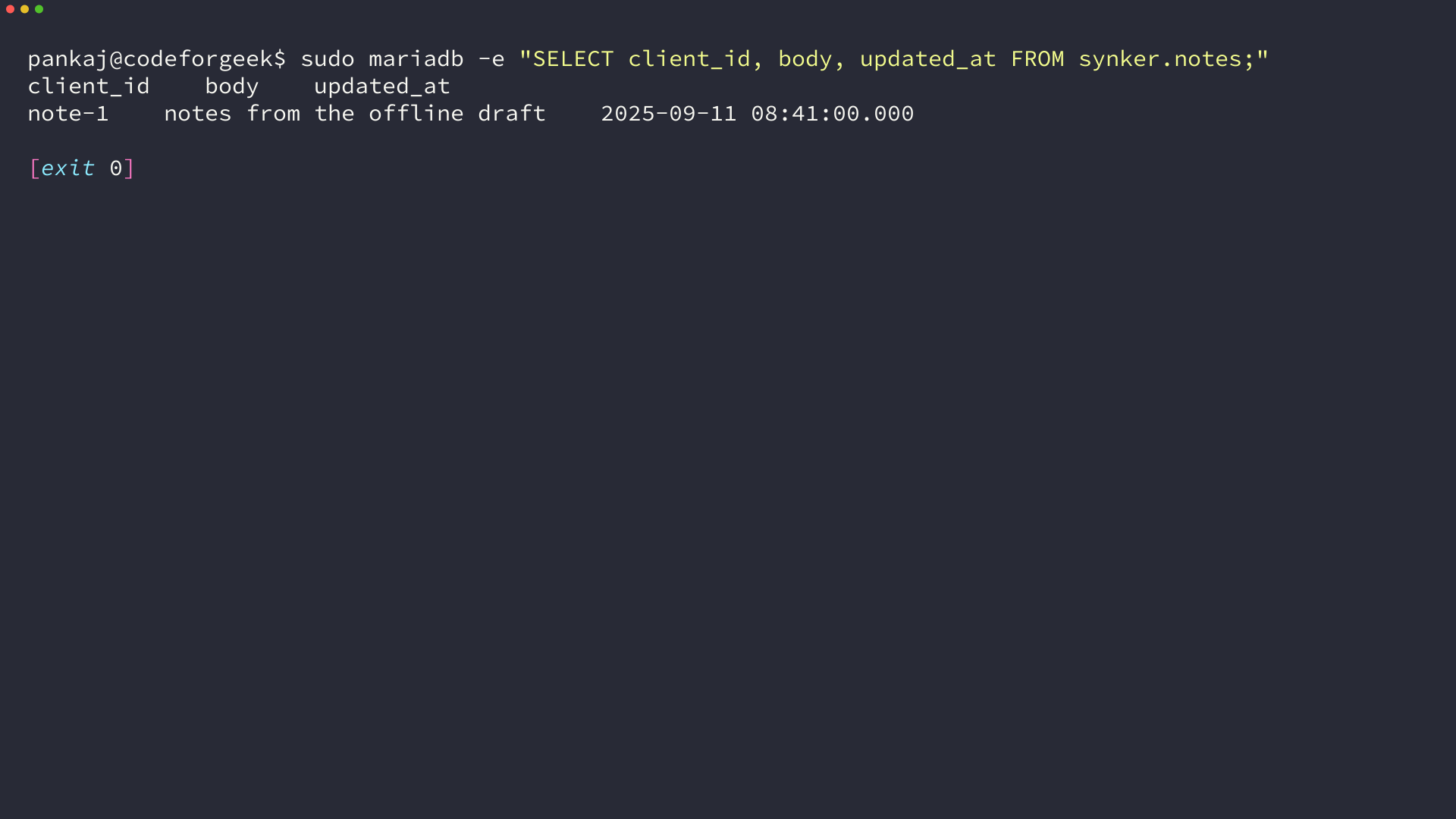
One row, holding the text typed while the browser was offline. My browser run reloaded the page after the sync and the queue stayed empty, so a confirmed change is not pushed a second time.
Where this design stops
The queue keeps your write and does not decide which of two writes wins, because the browser holds no clock the server trusts.
- Two devices editing the same client id both push, and the later arrival overwrites the earlier body. A conflict rule that holds needs a version column the server checks, not a timestamp the client supplies.
- Browser eviction can delete the local copy before it is pushed. Treat IndexedDB as a queue and keep MySQL as the record.
- There is no authentication in the API above. A single-user demo can accept that, a shared deployment cannot.
- Background synchronization is unavailable in some widely used browsers, so the fallback drain on load and on the online event is not optional.
The two ideas worth keeping are the pending marker and the client-owned key. Together they turn an optimistic write into a retryable one, which is what protects your work rather than the demo’s screenshot.